INS-Flip 4
INS-Flip4

INSWAN INS-Flip 4 4K USB Portable Document Camera/Webcam—13MP Ultra HD, Foldable Design, Auto Focus, Built-in Mic and LED, Mac OS, Windows, Chromebook Compatible for Distance Learning, Remote Teaching

Supports ESupports

INS-Flip4 FAQ

For most common issues, you'll find answers in the FAQ below. If your question is not addressed here, please contact us via email at service@inswan.com or visit our support section for further assistance.

Frequently Asked Questions

...
INS-Flip 4 standout feature is the "Foldable Design," ensuring exceptional portability at a mere 0.67 lbs. Additionally, it excels with crystal-clear 4K imaging, 2-in-1 versatility as a document camera and webcam, multi-joint design, and seamless UVC compatibility—offering a perfect fusion of portability, functionality, and top-notch performance.

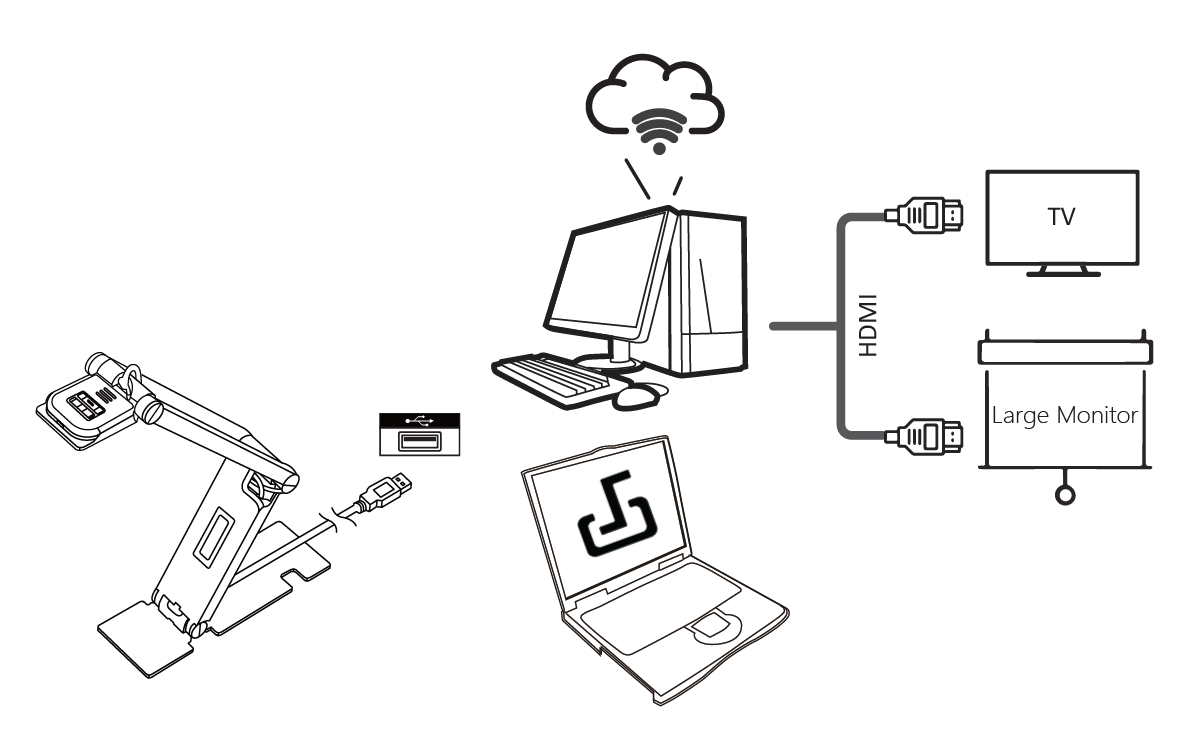
...To connect the INSWAN document camera to a TV or large monitor, simply use an HDMI cable. If VGA is supported, you can use a VGA cable instead.

Yes! INS-Flip 4 document camera is ideal for in-class teaching, remote teaching, work from home and web conferencing. Use your INS-Flip4 to enhance the engagement and professionalism of your presentations.

The INS-Flip 4 document camera works seamlessly with most popular webinar and live streaming applications, such as Zoom, Google Meet, Microsoft Teams, Cisco Webex, GoToMeeting, Insig, Facebook Live, and many others.

You can use all the INS-Flip 4 document camera main functions without Documate, but Documate provides extra functions including image rotation and annotation, digital zoom, hue adjust, video recording, snapshot and simple scan.

Some webinar app mirrors images at host-end and drop image resolution by default.

Solve this by:

1. Plug in INS-Flip 4 document camera.

2. Open Documate (The live image will appear).

3. Open the Webinar app and share the screen to let the audience see the screen of Documate.

INSWAN document camera supports three operating systems:
  • PC/Laptop: Windows 7/8/10/11
  • Mac/Macbook: Mac 10.13 or higher
  • iPad: iPad (OS 17 or higher; must have a USB-C port)
  • Chromebook: Chrome 38.0 or higher
  • Android: Android 11 or higher

Yes, as long as:
  • USB-C iPad with iPadOS 17+ required (no Lightning models).
  • iPadOS 18+ is needed to install and fully use Documate app.
  • Camera uses a USB-A connector, a USB-C to A adapter is required.
  • Search “Inswan Documate” in App Store.